
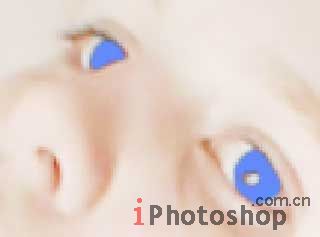
Create the new layer now, using
the fast button Create a new layer on the Layers window. Take
the Brush Tool and paint the eyes with the necessary color.
4、新建一个图层,选择画刷工具将眼睛涂成你想要的颜色。
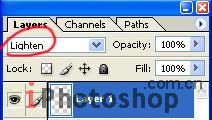
Change the layer type on Lighten.
5、层类型更改为点亮。
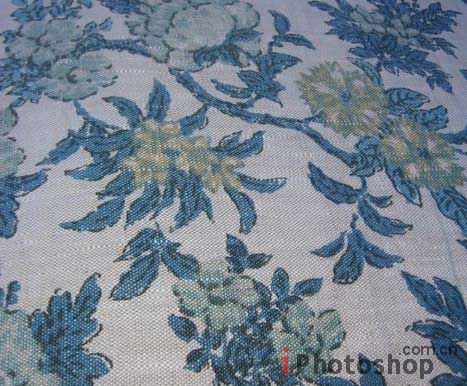
To change the textile of which the
corset is made up, you need to choose another textile, that
one you like and place it on a new layer, above the girl.
6、给MM的衣服换个花纹,找个你喜欢的花纹图案,放到新层中。
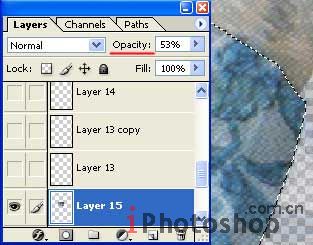
Increase the layer transparency
and mark out the corset along the contour with Polygonal Lasso
Tool.
7、新建层,透明度设置为53%,并使用多边形套索工具将MM束胸部分的衣服勾出来。
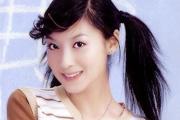
原图下面开始我们的一图五抠教程,第一种抠图方法会讲的比较细致,之后的四种方法有些与第一种相同,所以会讲解的比较简单。PS抠图方法一1、
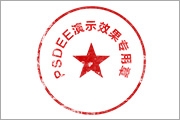
有时候为了设计需要,我们要手动制作出公章的效果(当然不是为了干违法乱纪的事哈),例如做出一个下面这样的效果:那么我们是怎么用Photo

本篇教程将教大家如何抠出与背景颜色相近且还带反光的头发,可以说是有一定的难度与技巧。相信大家学会这篇抠头发教程后,就没有抠不出的毛发图

作者合成的非常细腻,很多细节的处理都值得借鉴,如水面倒影的处理部分,作者先制作好水波纹理,然后把倒影部分用置换和动感模糊滤镜特殊处理,

九宫格原本是指一种数字游戏,但现在大家第一反映估计是多张照片的拼接,例如微信微博发多张照片的时候就会自动帮我们排列成九宫格形式。这种九
手机访问:M.PSDEE.COM/电脑访问:WWW.PSDEE.COM